


Blippi's Curiosity Club
4.318.00 Reviews
App Specs
- Version
- 1.8.0
- Updated On
- License
- Free
- Downloads
- 500,000+
- Developer
- Moonbug Entertainment Limited
- Categories
- Educational
- Platform
- Android
Screenshots
 Analysis by AppCompare
When a child gets stuck at the first screen, a game that looked simple to a parent can suddenly need a little help. I’d treat Blippi's Curiosity Club as a shared starting point rather than assuming a young child will know what to tap straight away. Once the idea of choosing an activity is clear, the appeal is easy to understand: familiar Blippi energy wrapped around play that aims to make learning feel light.
Where a child may need a hand
The colorful presentation is inviting, but a preschooler may still need an adult nearby at the beginning. Instead of pointing out every button, I’d show how to open one activity, then let the child try the next choice. That small handoff makes the device feel like theirs without turning the first session into a tutorial.
It also helps to set expectations before handing over the phone or tablet. Explain that the game is for a short activity, not an open-ended video feed, and agree on what happens when playtime ends. A clear stopping point can matter more than the particular activity, especially when a child is absorbed and reluctant to put the device down.
Setup checks that make the first session easier
This is an educational game from Moonbug Entertainment Limited, listed as free to download, with in-app purchases priced from $7.99 to $39.99 per item. I’d check the purchase settings on the device before letting a child explore alone. That is a useful precaution for any children’s app with paid items: it avoids an unexpected purchase and lets the adult decide whether spending is appropriate.
The game is rated for Everyone, and it was released on November 24, 2025. Its current version is 1.1.0, and it requires operating system version 11 or later. If it won’t install, checking the device’s OS version and available storage is a sensible first move; if it is already installed but behaving oddly, closing and reopening it is a simple check before assuming there is a deeper problem.
Recovering a session without turning it into a battle
If a child taps away from an activity or loses track of what they were doing, I’d avoid trying to reconstruct a perfect sequence. Give them a choice between returning to the activity they remember and starting a different one. The point is to restore their sense of control, not to make a small interruption feel like a test they have failed.
For a child who gets frustrated, shorten the task: sit together, name what the screen is asking, and let them make the next move. If the game stops responding, close it and try again after a moment. If the same problem happens repeatedly, restarting the device and checking for an available app update are practical, general troubleshooting steps rather than reasons to keep tapping impatiently.
Worth Reading Before You Choose

EA SPORTS FC Mobile 26 Is a Bigger Football Game, but It Takes Time

Flipboard Shows What News Apps Must Do Beyond the Feed

Switching to Android Auto Means Rethinking Your Driving Routine

Google Calendar Makes a Crowded Week Easier to Manage

Ludo King Makes the Most of the Minutes Between Plans

Baby Panda World Brings Quick Play to Modern Phones, but Its Game Library Feels Busy
When a problem may be outside the game
A slow connection, a busy device, low storage, or an older operating system can affect how an app feels, so I would separate those possibilities from the game itself. Try another app briefly, then return to this one. If several apps are sluggish, the device may need attention; if only this game is affected, reopening it and checking its update status is a more focused next step.
I also wouldn’t use a child’s enjoyment as proof that every moment is educational. Blippi’s familiar presence can draw a child in, but an adult can add value by asking what they noticed or inviting them to name a color or shape after play. That brief conversation turns screen time into a shared activity without requiring the game to do all the teaching.
In the educational games category, this kind of character-led experience has a different feel from a plain matching or counting app. A basic activity may be better when you want one narrow skill and fewer distractions. Here, the recognizable host and playful presentation are the draw, so it is a better fit for a child who already enjoys Blippi than for one who prefers quiet, minimal screens.
What is Blippi's Curiosity Club?
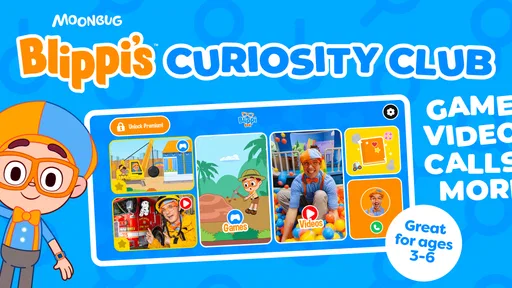
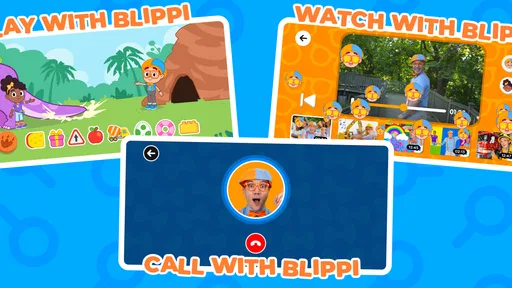
So, what exactly is Blippi's Curiosity Club? If you haven’t already heard of Blippi, he’s a beloved character among kids, known for his vibrant outfit and energetic approach to teaching. This app capitalizes on Blippi's popularity by offering a slew of educational content and interactive activities designed for children ages 2 to 6. It’s like having a personal tutor in the form of a fun-loving character who makes learning an adventure.
The Interactive Experience
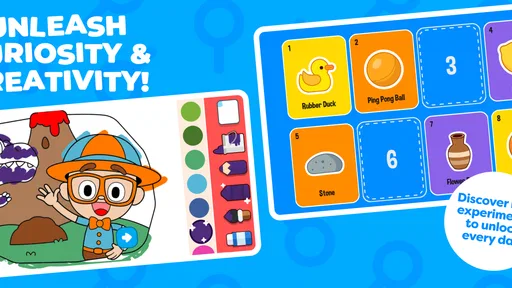
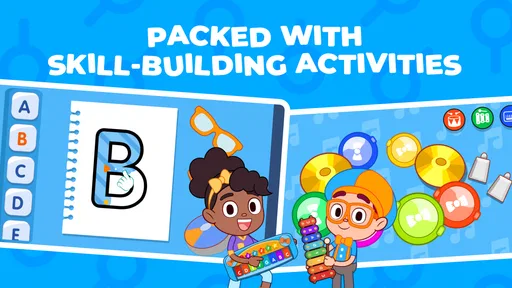
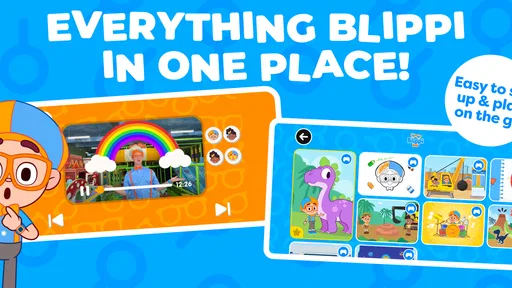
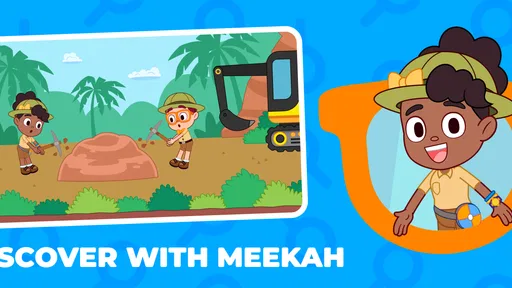
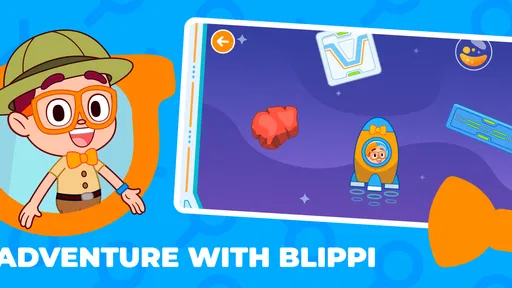
One of the coolest things about this app is its interactive nature. The moment you fire it up, you’re greeted with a colorful and engaging interface that’s easy for little fingers to navigate. The activities are varied, ranging from puzzles and videos to games that challenge kids to think creatively. The app is designed to stimulate curiosity, hence the name, and trust me, kids are going to love exploring each corner.
Every activity is tailored to introduce different concepts—think numbers, colors, and shapes—without it feeling like a chore. It’s like sneaking veggies into a delicious meal. The kids are learning without even realizing it, which is genius, in my opinion.
Content Quality and Safety
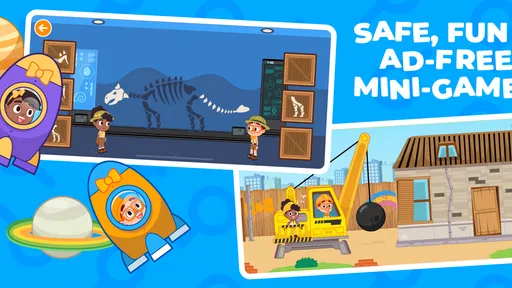
Let’s chat about content for a sec. The quality is off the charts. The videos are crisp, the animations are smooth, and everything is delivered in a way that’s easy for kids to understand. Not to mention, the content is 100% safe and ad-free, which is a huge relief for parents tired of dodging inappropriate content on other platforms.
Security-wise, the app is fortified with parental controls, so you can easily set limits on screen time and monitor what your kiddo is up to. It’s like having a watchdog that ensures your child’s safety while they’re immersed in their digital playground.
User Experience
From a tech perspective, the app runs smoothly across both Android and iOS devices. I’ve tested it on a couple of devices, and it’s consistently stable with no annoying crashes or glitches. The navigation is intuitive, and the vibrant graphics keep kids glued to the screen in a good way.
There’s also a neat feature where kids can track their progress, which adds a sense of achievement. It’s a small, thoughtful addition that encourages them to keep exploring and learning.
For a practical routine, I’d use it during a quiet stretch when an adult can be close enough to help, such as while waiting for a meal or settling in after getting home. Start with one activity, let the child choose what to try next, and finish with a simple question about what they played. That rhythm works better than handing over a device during a rushed transition, when stopping may be difficult.
Parents may also wonder whether a free download means the whole experience is free. It doesn’t: the game is free to download, while in-app purchases are available. I’d make that distinction clear to myself before a child starts exploring, and decide in advance whether any paid content is on the table. If you want an entirely no-purchase experience, check the available options and settings before making it part of a regular routine.
Why Kids Love It
Kids are all about fun, and this app delivers it in spades. The character of Blippi is naturally engaging, and the app harnesses this to keep children interested. The activities are playful yet educational, making the whole experience feel like a game rather than a lesson. It’s a win-win situation as kids get their dose of fun while also learning new things.
Plus, the app’s design is bright and colorful, which is always a hit with the younger crowd. The interactive elements keep them involved, and the friendly voice of Blippi provides a comforting guide through their learning journey.
The audience figures suggest that other families have found it worth trying: it has 100,000+ installs and a 4.2 average from 545 ratings, alongside 10 written reviews. Those numbers offer context, not a guarantee that every child will respond to it. A child who likes Blippi is more likely to settle into the style; one who finds energetic characters distracting may do better with calmer educational games or hands-on play away from a screen.
My main reservation is that a lively character-led game can hold attention without necessarily encouraging a child to explore independently right away. An adult’s occasional prompt can help turn a tap-and-watch moment into a conversation, but that means it is not always a hands-off option. I’d also keep sessions bounded, rather than relying on any game to manage screen time for the family.
Wrapping Up
So, is Blippi's Curiosity Club worth the download? Absolutely. It’s an app that strikes the perfect balance between education and entertainment, making it a fantastic tool for both kids and parents. The interactive elements and high-quality content make learning fun, while the app’s safety features ensure parents can breathe easy.
If you’re on the lookout for an app that will keep your child engaged while also feeding their curiosity, this might just be the answer. It’s a delightful way to turn screen time into something valuable. So go ahead, give it a whirl, and watch your child’s curiosity soar!
My recommendation is strongest for families whose children already enjoy Blippi and who want a playful educational option to share or supervise. If you need a quiet, narrowly focused learning tool, or a game that a child can use without any adult setup or purchase decisions, another option may suit you better. For everyone else, I’d try a short first session, observe which activities hold attention, and decide from there whether it earns a place in your child’s routine.
Pros
- Engaging educational content for kids.
- Interactive activities boost learning.
- Colorful visuals captivate attention.
- User-friendly interface for young users.
- Regular updates with new material.
Cons
- Subscription required for full access.
- Limited content without internet.
- May not appeal to older kids.
- Occasional in-app purchase prompts.
- Some activities can be repetitive.
FAQs for Blippi's Curiosity Club
What is Blippi's Curiosity Club and who is it suitable for?
Blippi's Curiosity Club is an educational app designed for young children, typically between the ages of 2 and 6. The app offers interactive learning experiences through videos, games, and activities. It aims to spark curiosity and foster learning in a fun, engaging way, making it ideal for preschoolers and early learners.
Is Blippi's Curiosity Club available on both Android and iOS devices?
Yes, Blippi's Curiosity Club is available for download on both Android and iOS platforms. You can find it in the Google Play Store for Android devices and the Apple App Store for iOS devices, ensuring accessibility for a wide range of users across different mobile operating systems.
Does Blippi's Curiosity Club require an internet connection to use?
Blippi's Curiosity Club requires an internet connection for initial downloads and updates. Many of the features, such as streaming videos and accessing new content, also need internet connectivity. However, some activities and games may be available offline once downloaded, allowing for limited use without internet.
Are there any in-app purchases or subscriptions in Blippi's Curiosity Club?
Yes, Blippi's Curiosity Club offers in-app purchases and subscription options. While the app may provide some free content, additional features and exclusive content often require a paid subscription. This model allows users to access a broader range of educational materials and updates regularly.
How can parents ensure the safety and privacy of their children using the app?
Blippi's Curiosity Club is designed with safety and privacy in mind. The app includes parental controls to manage screen time and restrict access to certain features. It complies with privacy regulations, ensuring data protection and a safe experience for children. Parents can review privacy settings and terms to understand data handling.


